 Week on Paper
for iPad & Apple Pencil
Your week, on one sheet of paper.
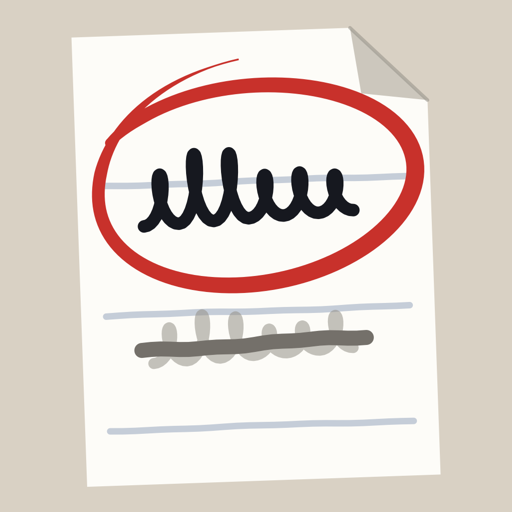
A handwritten to-do list that works like the paper one you already keep. Write it. Cross it out. Circle what matters.
A new page every week, starting each Monday.
Coming soon to the App Store
That is all the list is for: one email, then the list is deleted.
Free for a week. Then $7.99, once. No subscription, no account. See how it works
Renew passport
Call family
Book dentist
Pay electric bill
Buy tulips
Clean the kitchen
Clean the fridge
Fix leaky tap
Plan Sunday lunch
how it works
Works like the list on your desk
No typing, no folders, no settings. Your handwriting stays your handwriting.
Write anywhere
Write a to-do anywhere on the page. A moment after you stop writing, it moves to the next free row and shrinks to fit. No boxes to tap first.
A line through it: done
It turns gray and stays for the day. Tomorrow it moves to the done list at the end.
A circle round it: important
The circle turns red and the to-do goes to the top of your list. Erase the circle and it is ordinary again.
Move it with a finger
Press and hold a to-do, then drag it. Keep what belongs together, together. Your Pencil only writes, so a resting hand never moves a thing.
the one rule
One page is all you need.
If your week does not fit on one page, the page is not the problem. You have more ideas than time. Choose what matters, write it down, and cross it off. A full page is a nudge to finish, not to add.
every Monday
A new page every Monday. Nothing moves over by itself.
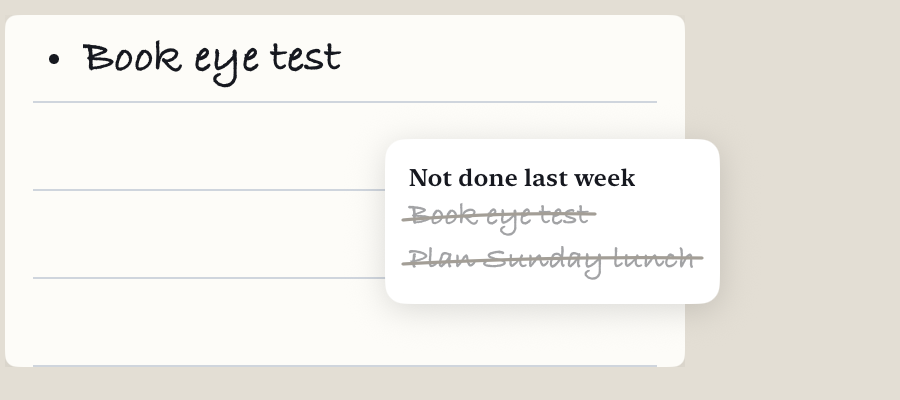
Last week's open to-dos wait on a small card. Write again by hand what still matters, then cross each one out on the card, including the ones you let go. What you write twice is what you meant.
Nothing leaves your iPad. No account, no tracking, no ads. Every week is kept, and any of them prints as an A4 PDF.
price
Free for a week. Then $7.99, once.
Seven days with nothing held back. After that, one payment to keep writing. Your pages always stay readable and you can always export them.
Coming soon to the App Store
The waiting list is only there so you hear the day it is live: one email when Week on Paper is on the App Store, then the list is deleted.
Any iPad that runs iPadOS 17 or later and works with Apple Pencil. If it is not for you, you can ask Apple for a refund.
questions
Questions
Why not just use paper?
Paper runs out, gets wet, tears and gets lost. Week on Paper is the simplicity of writing on paper with the order of a modern to-do app: a current list at the top, everything else below, and every week kept.
Why only one page?
If your week needs more than one page, you have lots of great ideas but not enough doing. One page is more than enough to hold a week of ideas. If it is not, you are not really executing.
Do I need an Apple Pencil?
Yes. The app is made for handwriting; only the Pencil writes. Your finger scrolls and moves to-dos.
Does it sync to my iPhone or Mac?
No. We keep it simple: Week on Paper is for iPad only. That may change in the future.
What happens to unfinished to-dos?
They do not move to the next week by themselves. On Monday they wait on a small card: write again by hand what still matters, then cross each one out on the card.
What if I lose or replace my iPad?
Your pages are part of your iPad's own iCloud or computer backup. Restore that backup on the new iPad, then tap "Restore purchase" if the app asks.
Is my data private?
Yes. The app collects nothing and sends nothing. Your pages stay on your iPad and in your iPad's own backup, which only you control; the developer never sees them. This site sets no cookies and runs no analytics. See the privacy policy.
I tried every to-do app and always came back to a sheet of paper. I did not want more settings or another monthly subscription, just something simple that helps me get things done and holds me accountable. So this is that sheet, on the iPad: one page, one pen, and a new page every Monday. If something feels wrong, write to me.
— Varun